This article explains public information. It does not determine eligibility or replace an official notice.
Understanding 8070 vs BOP ATM: What Each Step Does
A widespread misconception among rural farmers is that texting 8070 will generate an ATM PIN. It is critical to distinguish between these two separate official channels:
The 8070 SMS Service (Status & Verification) is operated by the Punjab Agriculture Department and PITB. It is used strictly to check application eligibility, verify computerized land records, and notify the farmer when their physical Kisan Card has reached their local Tehsil delivery center. The 8070 short code will never send you a secret ATM PIN.
The Bank of Punjab ATM Network (Activation & PIN Setup) is the official financial channel managing digital loan accounts. The physical ATM machine is where card activation takes place, where your 6-digit biometric OTP is validated, and where you choose your personal 4-digit PIN.
Pre-Requisites Before Visiting the BOP ATM
Before heading to a Bank of Punjab ATM branch, ensure you have the following four essential items ready:
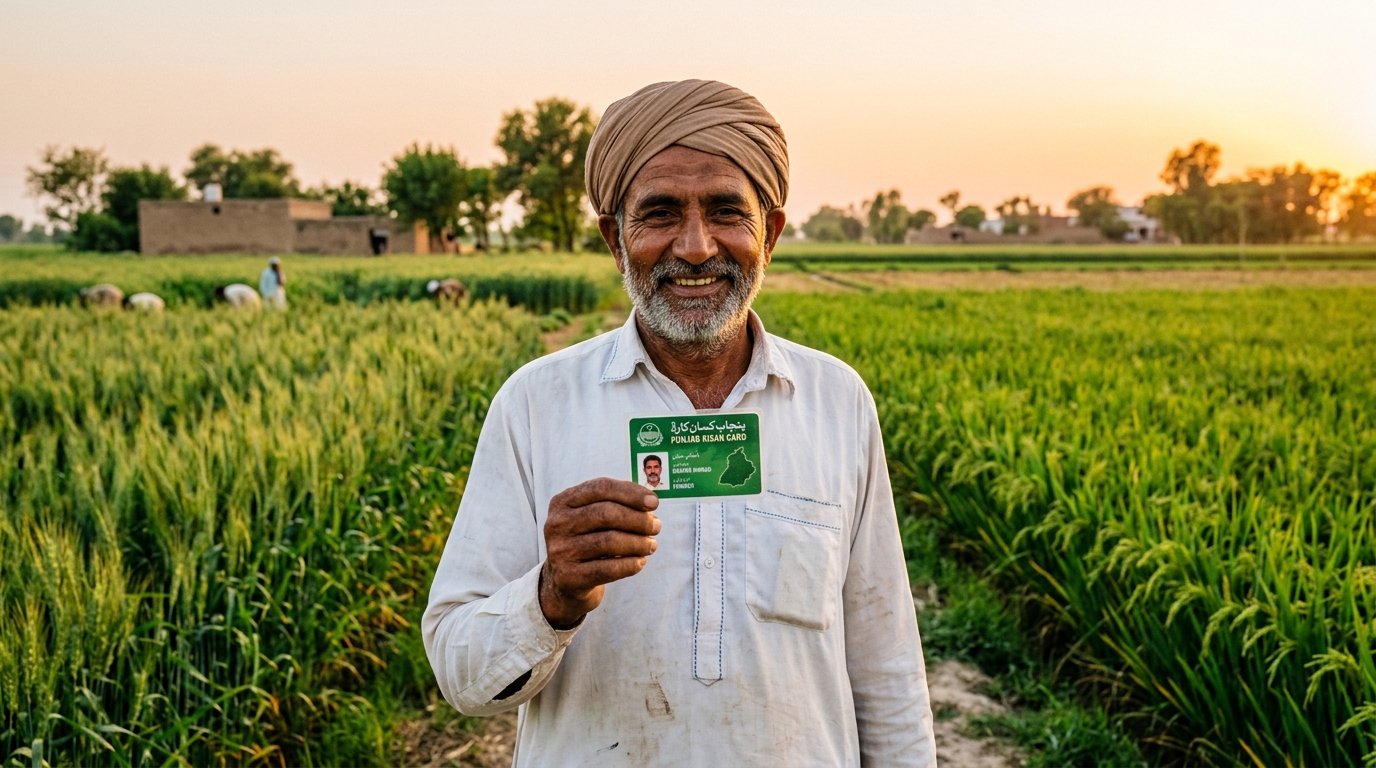
- Your Physical CM Punjab Kisan Card: Collected from your designated Tehsil Agriculture Extension Office following biometric thumb verification on their NADRA e-Sahulat device.
- Your Registered Mobile Phone: The mobile device containing the exact SIM card registered in your name with the Agriculture Department during your initial application.
- Active Network Connectivity: Ensure your phone has good signal reception and sufficient battery to receive the 6-digit OTP SMS within seconds.
- Original CNIC: Keep your computerized national identity card with you in case branch staff require identity confirmation.
Step-by-Step: How to Activate Your Kisan Card at a BOP ATM
Follow these numbered steps at any operational Bank of Punjab ATM across Pakistan:
First, approach any BOP ATM and gently insert your green Kisan Card into the card reader slot with the gold chip facing upward and forward. The ATM screen will automatically detect that this is a newly issued, unactivated card and will display: 'Welcome to Kisan Card Activation. An OTP has been sent to your registered mobile number.'
Within 15 to 45 seconds, you will receive an SMS from 'BOP' or '8070' containing a 6-digit numeric verification code. Carefully type the 6-digit OTP using the physical numeric keypad on the ATM machine and press 'Enter' on the screen.
Once the OTP is verified, the ATM screen will prompt you to enter a new 4-digit secret ATM PIN. Type your chosen 4 digits, re-enter the identical 4 digits to confirm, and collect your activation receipt. Your Rs. 150,000 production loan wallet is now fully operational.
Alternative Method: Activation via the BOP Helpline (111-267-200)
If there is no BOP ATM in your immediate vicinity, or if the ATM screen reports an unexpected hardware error, you can activate your card over the phone.
Dial 042-111-267-200 (or 111-267-200) from your registered mobile SIM and select Urdu. Choose the option for 'Kisan Card Services'. A verified BOP telephone banking officer will confirm your identity by asking for your 13-digit CNIC, your mother's maiden name, and your date of birth.
Following identity verification, the officer will transfer you to the automated Interactive Voice Response (IVR) system where you can set your 4-digit PIN privately via your phone keypad.
How to Use Your Activated Kisan Card at Dealer POS Machines
Once activated, your Kisan Card is ready to purchase subsidized inputs. Remember that cash withdrawals at ATMs are strictly blocked; the funds are intended exclusively for agricultural production.
To buy fertilizer or seeds, visit any fertilizer dealer, seed vendor, or pesticide retailer in your district equipped with an official government-approved POS terminal. Select required bags of DAP, Urea, or certified seeds at official government rates.
The merchant will insert your Kisan Card into the POS terminal and input the exact transaction amount. Type your secret 4-digit ATM PIN on the merchant's terminal keypad. The machine will print two transaction receipts and dispatch an SMS to your phone showing your remaining credit balance.
Troubleshooting Common Kisan Card Activation Errors
Farmers occasionally encounter unexpected technical obstacles during setup. Consult the diagnostic matrix below for immediate solutions:
| Problem / Error Message | Root Cause | Verified Solution |
|---|---|---|
| OTP Not Received on Mobile | SIM number was ported (MNP) to another network, or SMS inbox is full | Check network coverage. If your SIM was converted (e.g., Jazz to Zong), call BOP helpline (111-267-200) to update routing codes |
| Card Inactive / Invalid Card | Card was not biometrically received at the Agriculture Tehsil desk | Return to the Tehsil Agriculture Extension Office to ensure their officer marked the card as 'Delivered' on the portal |
| Biometric Verification Failed | Dirty thumb, worn skin ridges, or scanner mismatch | Wash and dry hands thoroughly. Try alternate fingers (index finger or opposite thumb) or use the OTP keypad method |
| Transaction Declined at POS | Merchant is not registered with the Agriculture Department, or seasonal limit is exhausted | Only purchase from authorized dealers registered on the Punjab Agriculture Department POS portal |
| Incorrect PIN Entered | Entering 8070 code instead of the 4-digit ATM PIN created during activation | Re-visit any BOP ATM, insert your card, select 'Reset PIN', and create a new 4-digit code using OTP |
Frequently asked questions
How do I activate my Kisan Card for the first time?
Insert your physical Kisan Card into any Bank of Punjab (BOP) ATM, enter the 6-digit OTP sent to your registered mobile phone, and set your own secure 4-digit PIN on the screen.
Can I activate my Kisan Card by sending an SMS to 8070?
No, 8070 is strictly for checking eligibility and card delivery status; the ATM PIN can only be created at a BOP ATM or through the official BOP helpline.
Can I withdraw cash from my Kisan Card at an ATM?
No, cash withdrawals are strictly disabled; the card can only be used at registered fertilizer and pesticide dealer POS machines to purchase agricultural inputs.
What should I do if I do not receive the OTP at the ATM?
Ensure your phone has good signal and that the SIM is in your phone; if your network was ported, call the BOP helpline at 111-267-200 to refresh your SMS delivery profile.
What is the total loan limit available on the Kisan Card?
The card provides an interest-free production loan of up to Rs. 30,000 per acre for up to 5 acres, making the maximum available credit limit Rs. 150,000.
Where can I collect my physical Kisan Card after getting the 8070 SMS?
You must collect your physical card in person from your local Tehsil Agriculture Extension Office by presenting your original CNIC and verifying your thumbprint.
What is the markup or interest rate on the Kisan Card loan?
The loan is 100% interest-free (0% markup), provided the borrowed amount is repaid within the specified 6-month cycle following crop harvesting.
What happens if I forget my 4-digit Kisan Card ATM PIN?
Visit any Bank of Punjab ATM, insert your card, select the 'Reset PIN' option, and enter the new OTP sent to your registered phone to choose a new PIN.
Can someone else use my Kisan Card to buy fertilizer?
No, the card is non-transferable; registered dealers must verify the farmer's CNIC and match the cardholder's credentials before processing the transaction.
Who should I contact if a fertilizer dealer demands extra charges for Kisan Card payments?
You can immediately report unauthorized dealer surcharges or deduction scams to the Punjab Agriculture Department complaint cell at 0800-17000 or BOP helpline at 111-267-200.
Sources and official links
Check the destination address before entering personal information.
Muhammad Salman specializes in Pakistani public sector financing, youth entrepreneurship schemes, and government subsidy programmes, cross-referencing all data against official SBP circulars and ministry directives.
Related guides
Apni Chhat Apna Ghar Loan: Instant Qist Tracking
PITB portal par 15 lakh bila-sood loan ki approval check karne aur pehli qist (installment) track karne ka mukammal step-by-step tariqa.
Read guide
CM Balochistan Youth Skills Scheme 2026 Online Apply & Registration Guide
Apply online for CM Balochistan Youth Skills Scheme 2026. Complete guide to B-TEVTA online registration, courses, monthly stipends, and 30,000 overseas jobs.
Read guide
Fake 8171 SMS Check, Complaint & BISP Lottery Fraud Alert Guide
Spot fake 8171 SMS scams and report BISP lottery fraud. Step-by-step guide to reporting scammers on PTA 9000, BISP Helpline 0800-26477, Police 15, and FIA Cybercrime.
Read guide