This article explains public information. It does not determine eligibility or replace an official notice.
NADRA tracking at a glance
The official tracking routes, contacts and deadlines in one place. Each row is explained in the sections below.
| Question | Answer (October 2026) |
|---|---|
| Where is my tracking ID? | On the token slip from the NADRA counter, printed with a PIN |
| Fastest online check | Pak Identity app, then Tracking, then tracking ID and PIN |
| Check without internet | SMS only the tracking ID to 8400 from a Pakistani SIM |
| Helpline | 1777 from mobiles, +92 51 111 786 100 from landlines or abroad |
| Collection deadline | Within three months of the final delivery date |
| Smart NIC fee | Rs 750 normal, Rs 1,500 urgent, Rs 2,500 executive |
What is a NADRA tracking ID?
A NADRA tracking ID is the reference number that the National Database and Registration Authority (NADRA) prints on your token slip when it accepts an application. It follows one application from submission to collection, whether that is a new CNIC, a Smart NIC renewal, a B-Form (Child Registration Certificate) or a NICOP.
NADRA is the autonomous authority under the Ministry of Interior that issues identity documents and maintains the national citizen database. Every application gets its own tracking ID. A family that applies for two B-Forms and one CNIC on the same day will therefore hold three different numbers.
Where are the tracking ID and PIN printed?
Both are printed on the token slip (the application receipt) handed to you at the counter of a NADRA Registration Centre or Mega Centre. The Pak Identity app asks for the PIN from that same slip alongside the tracking ID. If you applied online through Pak Identity, the application and its tracking details sit in your account's application inbox instead.
Published guides disagree on how many digits the number has, and older and newer receipts differ. Copy every digit exactly as printed, and photograph the slip on the day you receive it.
Is the tracking ID the same as your CNIC number?
No. Your CNIC number is a permanent 13-digit identity number that stays with you for life. A tracking ID belongs to a single application and stops mattering once the card is collected. Use the tracking ID for application status, and the CNIC number for identity checks, BISP status and SIM checks.
Who can check a NADRA tracking status?
Anyone holding the token slip can check the status of that application, whether it is a CNIC, Smart NIC, B-Form, Family Registration Certificate (FRC) or NICOP. You do not have to be the applicant. A parent can track a child's B-Form, and a relative can track a card for an elderly family member, as long as they have the tracking ID.
The best method depends on where you applied. Counter applications made in Pakistan work with SMS 8400, the app and the helpline. Online Pak Identity applications are easiest to follow from the application inbox. For applications made through a Pakistani embassy or consulate, use the app, the mission's NADRA page or the helpline, because 8400 is a Pakistani shortcode that needs a local SIM.
- CNIC, Smart NIC and NICOP applicants, using their own token slip
- Parents following a child's B-Form (CRC) application
- Relatives tracking a card for an elderly family member
- Overseas applicants, through the app, their mission or +92 51 111 786 100
How do I check my NADRA tracking ID status online?
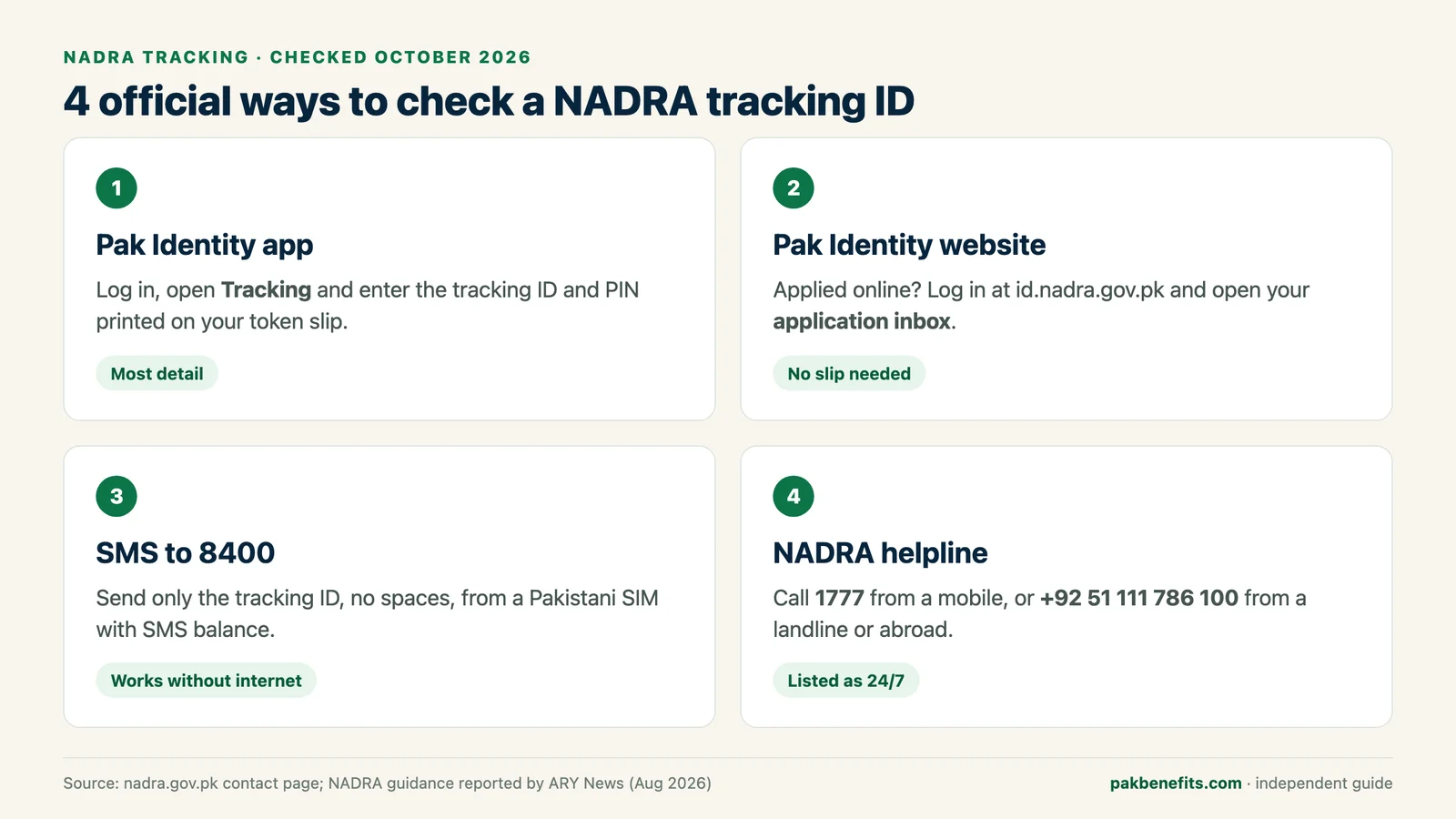
NADRA offers four official ways to check a tracking ID in 2026: the Pak Identity app, the Pak Identity website, SMS to 8400 and the NADRA helpline. The app gives the most detail, SMS works without internet, and the helpline helps when the other two return an error.
Method 1: Pak Identity app (tracking ID and PIN)
NADRA's own guidance, reported in August 2026, describes this route. Applicants log in to the Pak Identity mobile app, select the Tracking option, and enter the tracking ID and the PIN code from the application slip.
- Step 1: Install the official Pak Identity app from Google Play or the App Store, check that the developer is NADRA, and log in.
- Step 2: Open the Tracking option from the app menu.
- Step 3: Enter the tracking ID and the PIN exactly as printed on your token slip.
- Step 4: Submit to see the current stage of the application.
Method 2: Pak Identity website application inbox
If you applied online, open id.nadra.gov.pk, log in with the account you applied from and go to your application inbox. NADRA's contact page confirms that applicants can check the status of an application from this inbox. Each online application is listed there, so you do not need a paper slip.
Method 3: SMS your tracking ID to 8400
Standard SMS charges apply, and roaming or foreign SIMs often fail. Older guides mention 7000 or 8300. Those were CNIC record and verification services, not the current way to track an application.
- Step 1: Open the messages app on a Pakistani SIM that has SMS balance.
- Step 2: Type only the tracking ID, with no spaces or extra words.
- Step 3: Send it to 8400 and wait for the reply showing the current status.
Method 4: Call the NADRA helpline
Dial 1777 from a mobile in Pakistan, or +92 51 111 786 100 from a landline or from abroad. NADRA lists its helpline timings as 24/7. Have the tracking ID and the applicant's CNIC number ready before you call, because the operator will need to locate the application.
What does each NADRA tracking status mean?
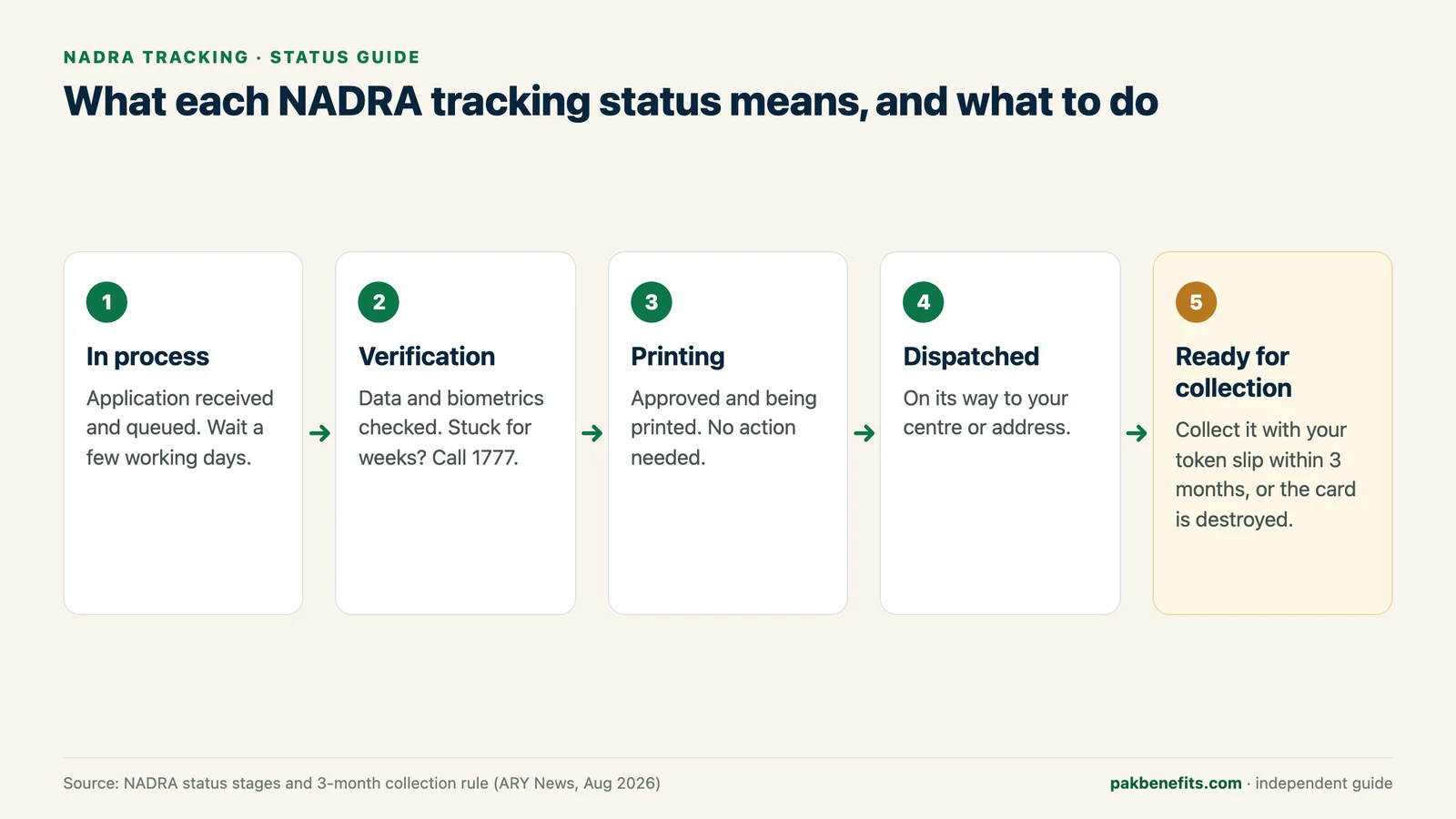
A NADRA application usually moves through five stages, from In process to Ready for collection, and each one tells you whether to wait, act or travel. The wording can differ slightly between the app and the SMS reply, but the order stays the same.
The last stage carries a deadline. NADRA states that an identity card left uncollected is destroyed three months after the final delivery date, so collect it promptly once the status changes.
| Status | What it means | What you should do |
|---|---|---|
| In process | NADRA has received the application and it is in the queue. | Wait, and check again after a few working days. |
| Verification | Your data and biometrics are being checked against the national database. | Wait. If it stays here for weeks, call 1777. |
| Printing | The card or certificate has been approved and is being printed. | No action needed. |
| Dispatched | The document has left printing for your centre or delivery address. | Watch for the ready-for-collection update. |
| Ready for collection | The document is waiting at the centre where you applied. | Collect it with your token slip within three months of the final delivery date. |
How do you track a B-Form (CRC) application?
A B-Form, officially the Child Registration Certificate (CRC), is tracked exactly like a CNIC. Use the tracking ID on the B-Form token slip with SMS 8400, the Pak Identity app or the 1777 helpline. B-Forms pass through the same stages but usually move faster: ARY News listed 7 days for a normal CRC and 1 day for executive in April 2026.
Keep a close eye on B-Forms if your family receives BISP support. BISP's official Taleemi Wazaif page states that B-Form/CRC verification through the NADRA database is mandatory before a child can be enrolled, so a pending B-Form can delay a child's school stipend.
- Normal CRC: Rs 50, about 7 days
- Executive CRC: Rs 500, about 1 day
- Urgent category: not offered for B-Forms
- Needed for: Taleemi Wazaif enrolment and the BISP household survey
Can you check SIMs on your CNIC through NADRA tracking?
No. A NADRA tracking ID shows only the progress of an identity application. The number of mobile SIMs registered against your CNIC comes from a separate service, the SIM Information System run by the Pakistan Telecommunication Authority (PTA).
To use it, send your 13-digit CNIC number without dashes by SMS to 668. The reply lists your active SIMs by operator, and each message costs Rs 2 plus tax, according to ProPakistani's guide. PTA launched the 668 service in 2009. If a SIM you never bought appears, visit that operator's customer service centre with your original CNIC to have it removed.
- Step 1: Type your 13-digit CNIC number without dashes.
- Step 2: Send it by SMS to 668.
- Step 3: Read the reply, which lists your active SIMs by operator.
NADRA fees and processing times in 2026
As of October 2026, a Smart NIC costs Rs 750 (normal), Rs 1,500 (urgent) or Rs 2,500 (executive), and a first CNIC is free in the normal category. You pay when you apply. Tracking the application costs nothing beyond standard SMS rates for 8400.
To check a status you need only the tracking ID, plus the PIN for the app. Keep the token slip safe, because you will show it when you collect the document. Processing times vary between sources, with some guides quoting 15 days for a normal CNIC and 6 to 7 days for executive. Treat every figure as an estimate and rely on your tracking status instead.
| Document | Normal | Urgent | Executive |
|---|---|---|---|
| Smart NIC (new, renewal, modification, duplicate) | Rs 750, about 31 days | Rs 1,500, about 23 days | Rs 2,500, about 9 days |
| First CNIC | Free | Category fee applies | Category fee applies |
| B-Form (CRC) | Rs 50, about 7 days | Not offered | Rs 500, about 1 day |
Why is my NADRA tracking ID not working?
Most tracking failures come from a mistyped number, an application that is too new to appear, or an SMS sent from a roaming or foreign SIM. The fixes below cover the errors applicants report most often.
| Problem | Likely cause | Fix |
|---|---|---|
| Invalid tracking ID | A digit missed or swapped, or spaces added | Re-type the number exactly as printed, with no spaces. |
| No record found | The application is very new | Wait 24 to 48 hours, then try again. |
| No reply from 8400 | Roaming, a foreign SIM or no SMS balance | Use a Pakistani SIM with balance, or switch to the app. |
| App rejects the details | PIN taken from a different slip | Check that the PIN and tracking ID come from the same slip. |
| Status stuck for weeks | Verification or a data mismatch | Call 1777 with the tracking ID and CNIC number. |
| Lost token slip | Paper receipt misplaced | Call 1777 or email csd@nadra.gov.pk; online applicants can open the application inbox. |
NADRA helpline numbers and contacts
NADRA's official contacts in October 2026 are the 1777 helpline, +92 51 111 786 100 and the complaints email csd@nadra.gov.pk, all listed on nadra.gov.pk with 24/7 timings. The Pak Identity portal also offers a quick chat for online queries.
Never post a tracking ID in a social media comment to ask for help. In August 2026 NADRA warned that it does not provide tracking IDs through comments on social media platforms, so treat any tracking help offered in comment threads as unofficial.
| Number or channel | Use it for | Run by |
|---|---|---|
| 8400 (SMS) | Application status by tracking ID | NADRA |
| 1777 | Helpline from mobiles in Pakistan | NADRA |
| +92 51 111 786 100 | Helpline from landlines and from abroad | NADRA |
| csd@nadra.gov.pk | Written complaints | NADRA |
| 668 (SMS) | Number of SIMs registered on your CNIC | PTA |
| 8171 | BISP and Benazir Kafaalat status by CNIC | BISP, not NADRA |
Why tracking matters for BISP and Taleemi Wazaif families
For families on social protection, a stuck NADRA application often becomes a stuck benefit. BISP's NSER survey verifies household members through NADRA records, and its Taleemi Wazaif page makes NADRA verification of a child's B-Form mandatory before enrolment.
Track the application until it reads Ready for collection, collect the document, and then complete the BISP step at your tehsil office. Use 8171 only for BISP status, because it does not show NADRA progress.
- Expired or wrong CNIC: fix it at NADRA before the BISP survey
- Child's B-Form pending: Taleemi Wazaif enrolment waits for NADRA verification
- Card ready: collect it, then visit your BISP tehsil office
Frequently asked questions
Can I check my CNIC details online?
Yes, but that is a different service from tracking. NADRA's Pak Identity portal offers paid verification services for CNIC records, while a tracking ID only shows the progress of an application you have made.
How many digits are in a NADRA tracking ID?
Published guides disagree, quoting either 10 or 12 digits, and receipt formats have changed over time. Copy every digit exactly as printed on your token slip, with no spaces, and call 1777 if the number is rejected.
Can I check NADRA tracking without a tracking ID?
Yes, through the helpline or your online account. Call 1777 or +92 51 111 786 100 with the applicant's CNIC number, or, if you applied online, open the application inbox on Pak Identity where the application is listed.
What is the reference tracking ID in the NADRA app?
It is the same tracking ID printed on your token slip. In the Pak Identity app's Tracking option you enter it together with the PIN from the same slip to see the application's current stage.
Is it safe to share my NADRA tracking ID?
Share it only with NADRA's official channels or a family member you trust. NADRA said in August 2026 that it does not provide tracking IDs through social media comments, so never post the number publicly.
Can someone else check my status for me?
Yes. Anyone with the tracking ID can send it to 8400 or call the helpline, which is how parents follow a child's B-Form. The app route also needs the PIN, so the person checking needs the slip.
Why is my NADRA tracking status not updating?
The application is probably still being verified. A status changes only when the file moves to the next stage, and brand-new applications can take 24 to 48 hours to appear. If nothing changes for several weeks, call 1777 to ask whether a data mismatch needs your attention.
I applied at a foreign mission. Do I track differently?
Usually, yes. SMS 8400 needs a Pakistani SIM, so overseas applicants should use the Pak Identity app, their mission's NADRA tracking page or the helpline on +92 51 111 786 100.
How do I know my CNIC number?
Your CNIC number is the 13-digit number printed on the front of your identity card. If the card is lost, apply for a duplicate at a NADRA centre, where your identity is confirmed against your biometric record.
Does 8171 show my NADRA application status?
No. 8171 is the Benazir Income Support Programme's number and only answers BISP eligibility and payment questions by CNIC. NADRA application status comes from 8400, the Pak Identity app or 1777.
Sources and official links
Check the destination address before entering personal information.
Muhammad Salman specializes in Pakistani public sector financing, youth entrepreneurship schemes, and government subsidy programmes, cross-referencing all data against official SBP circulars and ministry directives.
Related guides
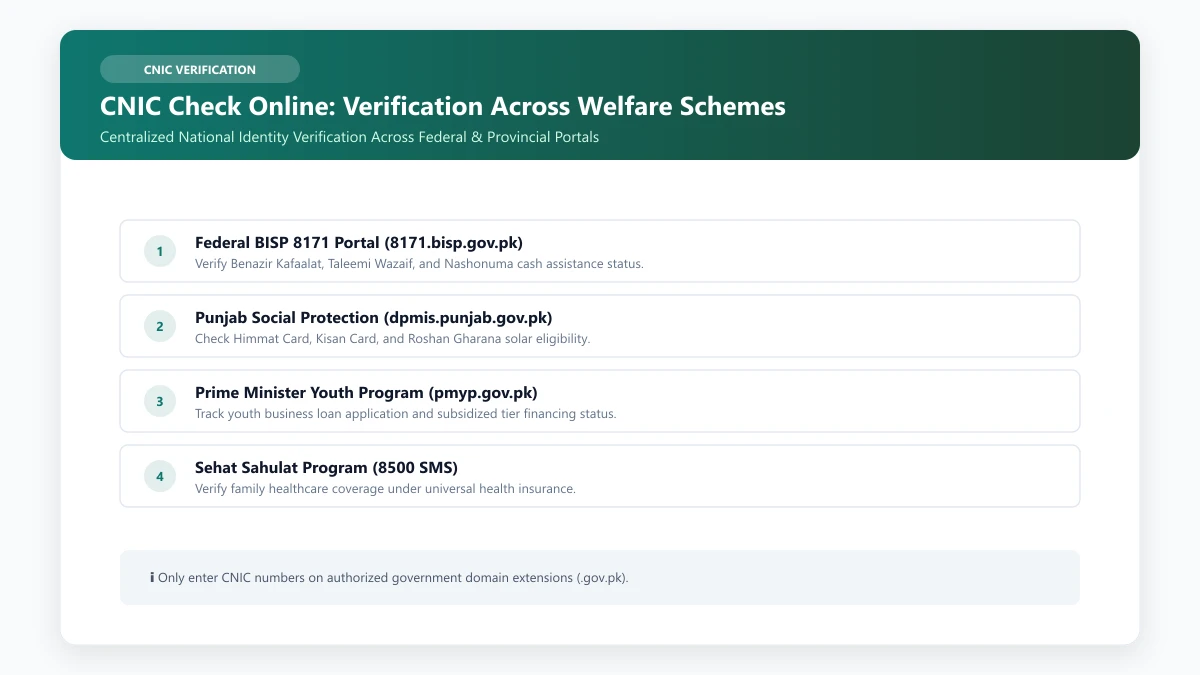
CNIC Check Online: Verification Across Programmes
Choose the correct CNIC verification route for BISP, Kafaalat, Taleemi Wazaif, Ehsaas and provincial schemes.
Read guide
NADRA Office Near Me: Locations, Timings and Helpline
To find the NADRA office near you, search "NADRA Registration Centre" in Google Maps with location on, then call the NADRA helpline on 1777 to confirm today's timing. Regular centres keep day shifts, larger Mega Centres add evening or night shifts, and many CNIC renewals can be done online in Pak Identity.
Read guide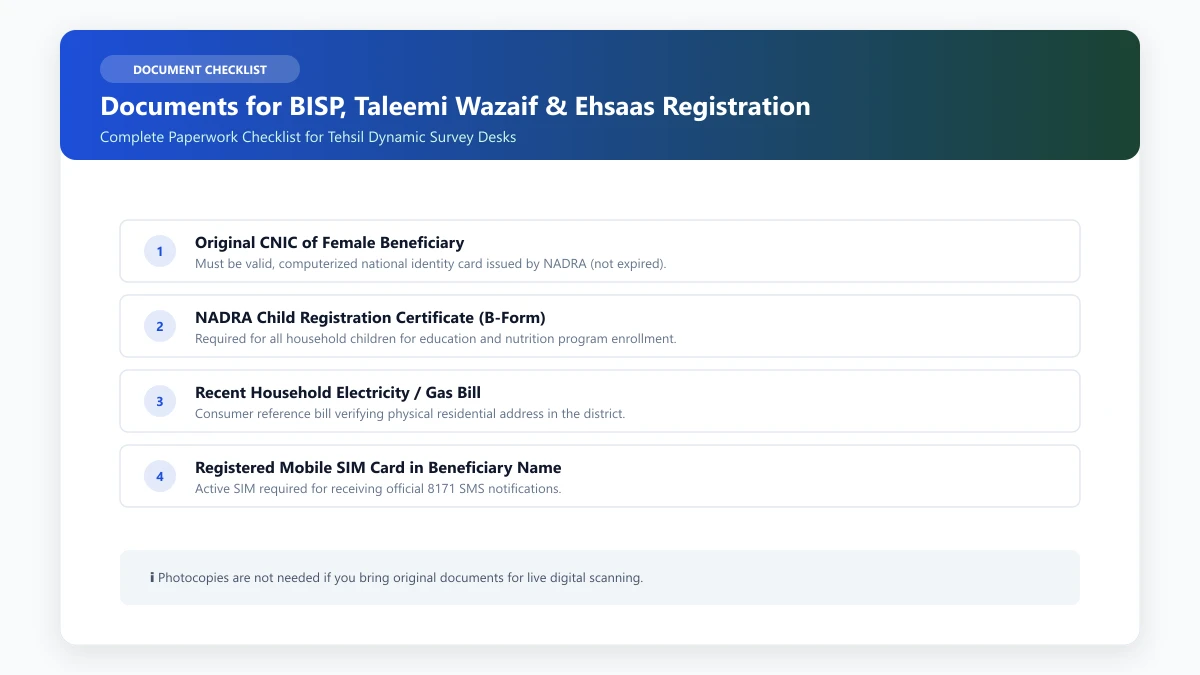
Documents for BISP, Taleemi Wazaif & Ehsaas Registration
Organize identity, household and school records for the official programme process that applies to your family.
Read guide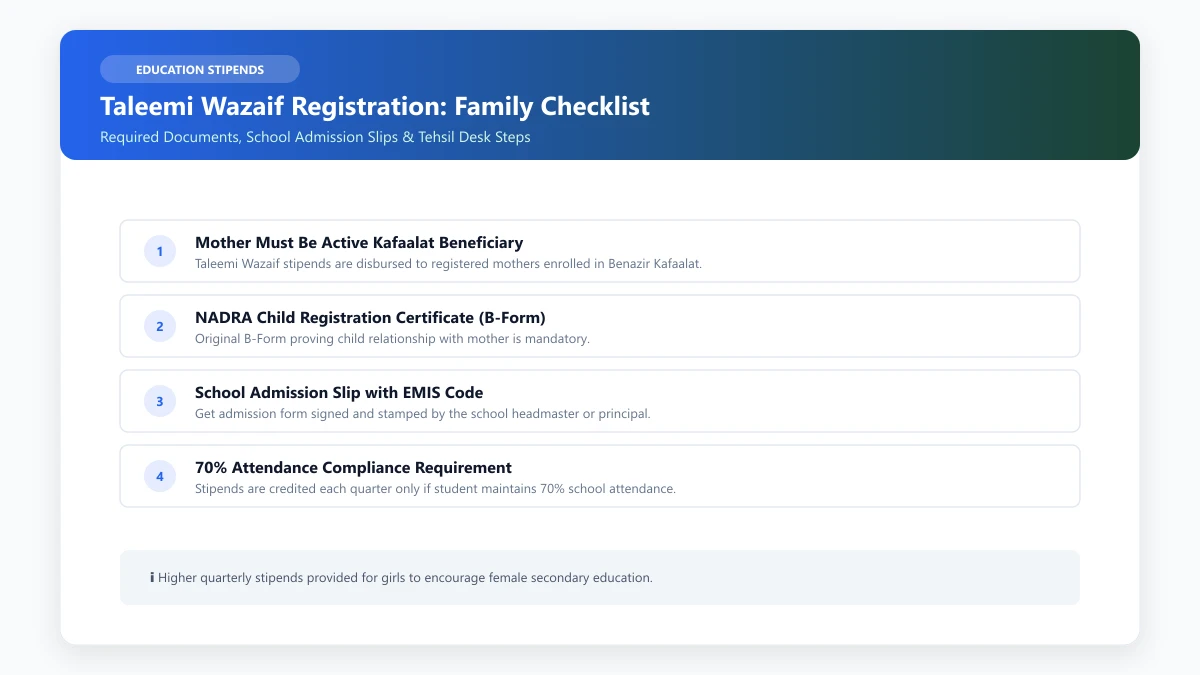
Taleemi Wazaif Registration: A Family Preparation Checklist
A simple guide to enrollment, school records, attendance, and official verification.
Read guide